Step 1 - Go to Settings
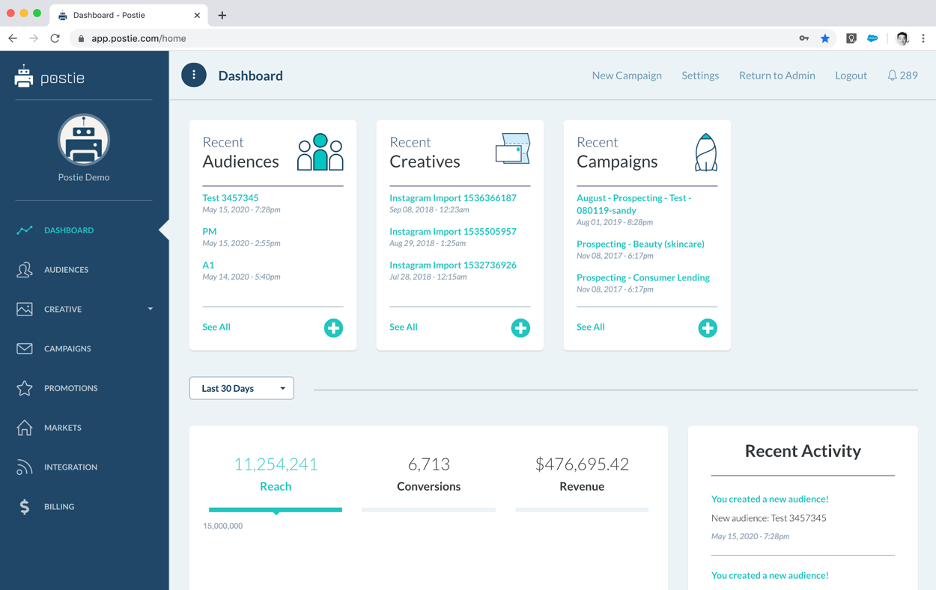
When you Log in to your Postie account, you will immediately land on the Homepage Dashboard, where you will get a holistic view of the Postie platform. In the top right corner, click on “Settings.”
Step 2 - Go to User Management
Scroll down and find the “User Management” section. Find the user that you would like to remove from the account. At the far right, click on the “Edit” button.

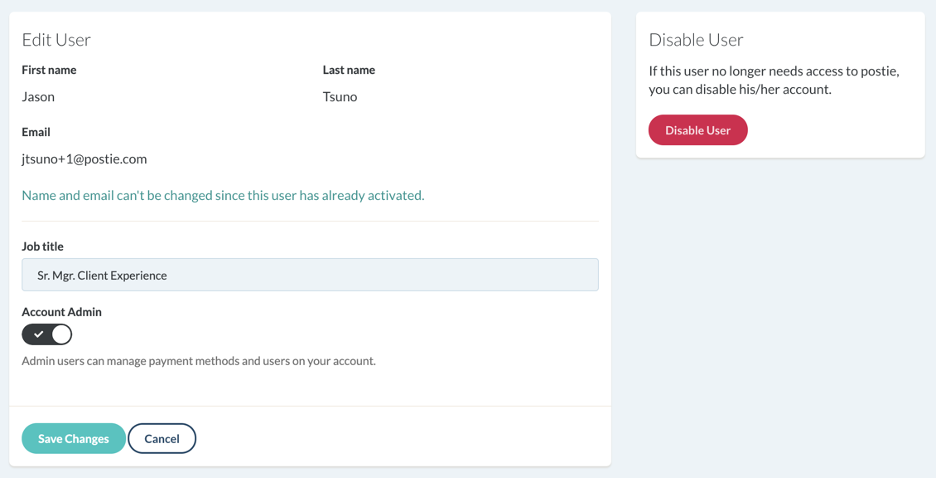
Step 3 - Disable User
Once in the user’s edit page, find the “Disable User” button at the right side of the page, and click. Follow the confirmation prompt and your user will be disabled from your Postie account.