After your creative has been uploaded (or revised), your asset is automatically placed in a proofing queue. Proofing is transformation of your digital asset into a hard copy (or digitally finished copy if you choose), with the intention of approval. You will see the status of your creative change to “Proof Generating.”
Your hard proof will be delivered to you in 1-2 business days at the address you provide. If you choose to make changes to one or more assets, please upload as a revision to the same creative in your Managed Creatives folder. Please note, 3 rounds of proofs per campaign are complimentary, and shipping charges will be levied thereafter.
To request a Hard Proof, Please follow the steps below:
Step One
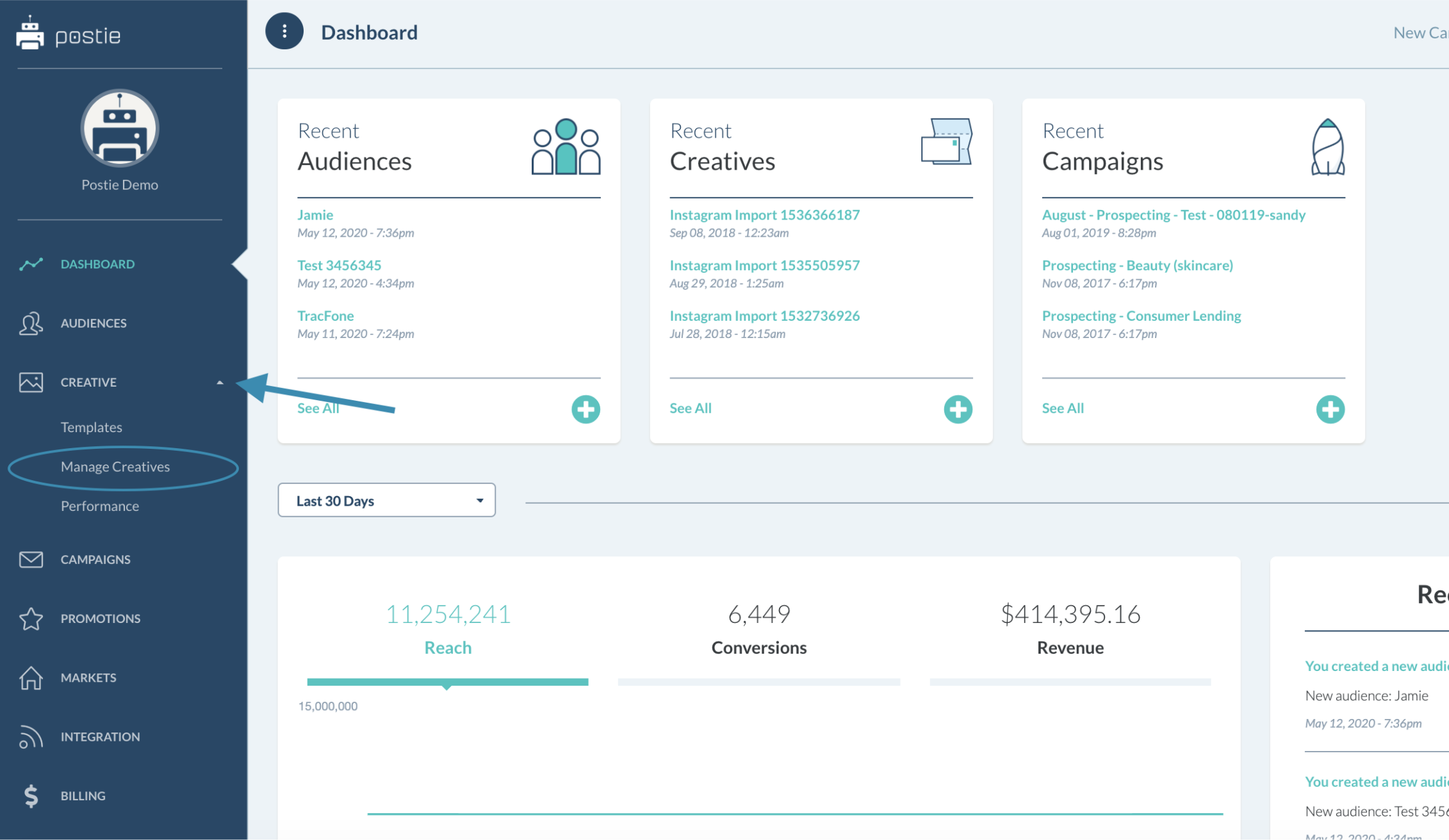
From the Homepage Dashboard, click on the Creative tab in the left side bar. A dropdown list will appear – spot the option Manage Creatives and select it.
Step Two
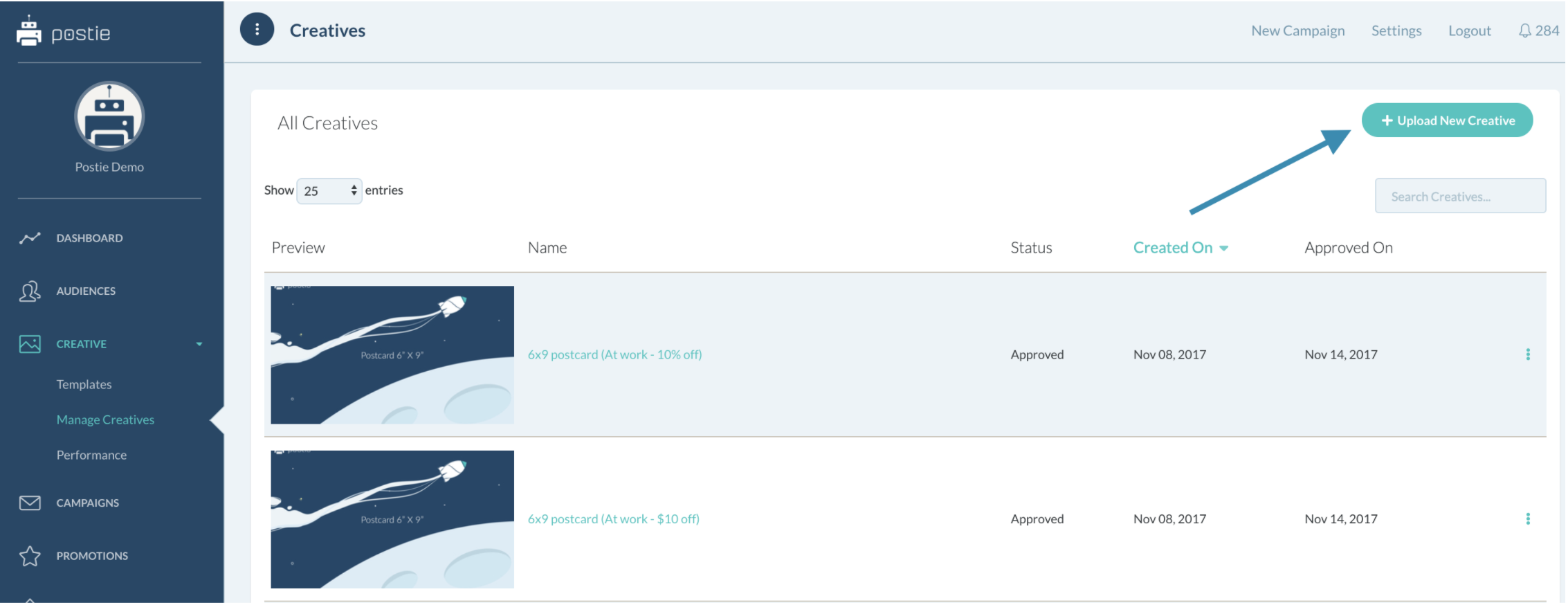
In the Manage Creatives tab you are now in, you will see all of your creative assets, past and present. Select the + Upload New Creative tab in the top right corner .
Step Three
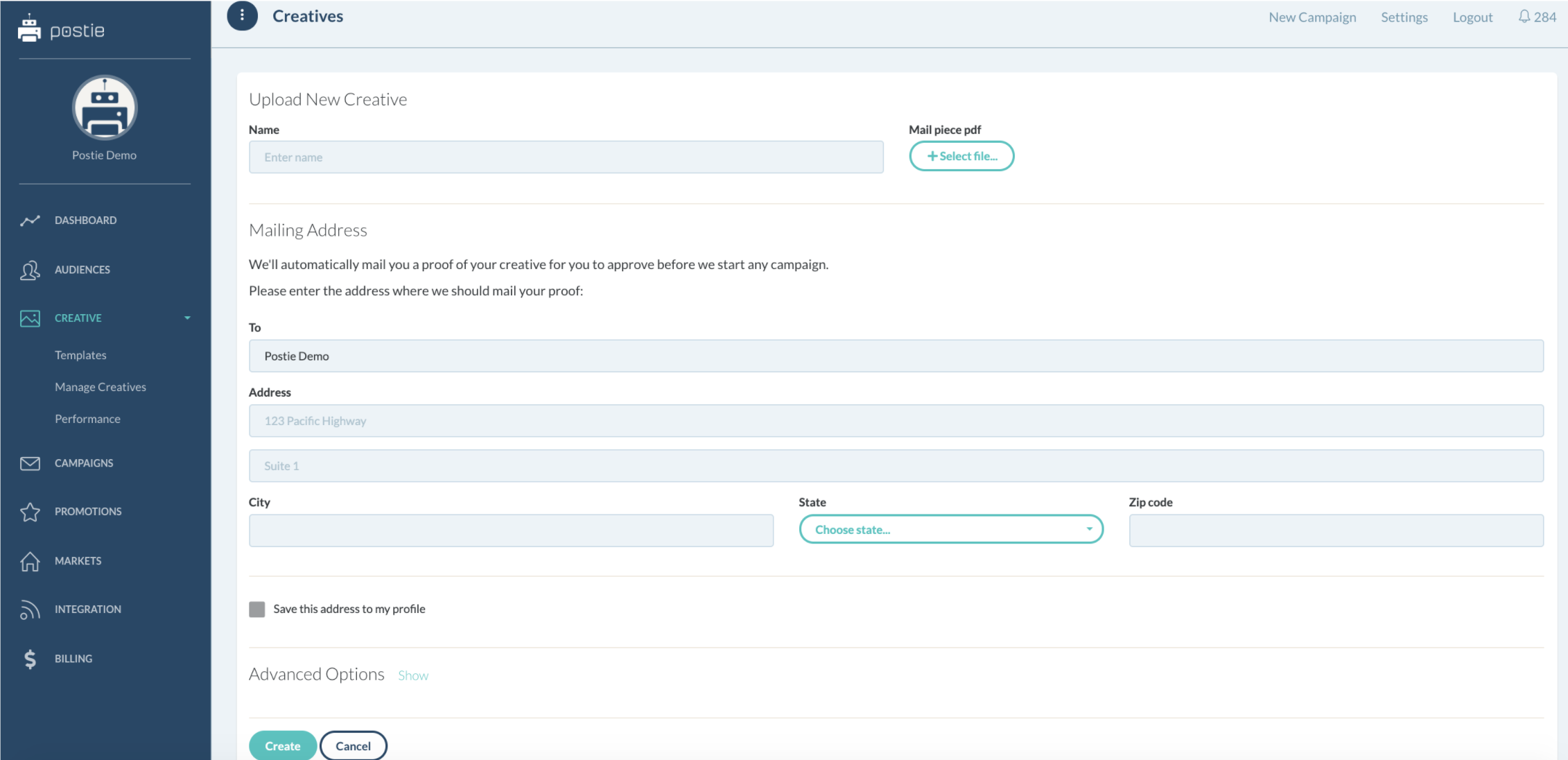
You will now be led to the Upload New Creative page. Select the file you wish to append. Input a mailing address to which we may send your finished proofs.
Under advanced options, you may select one of three:
- Mail a hard copy
- Approve a hard and soft copy
- Request only a soft copy
Once your selection is made, please select create – and your digital piece is now in proofing.
Your Account Manager will follow up with next steps and an arrival date.