Step One
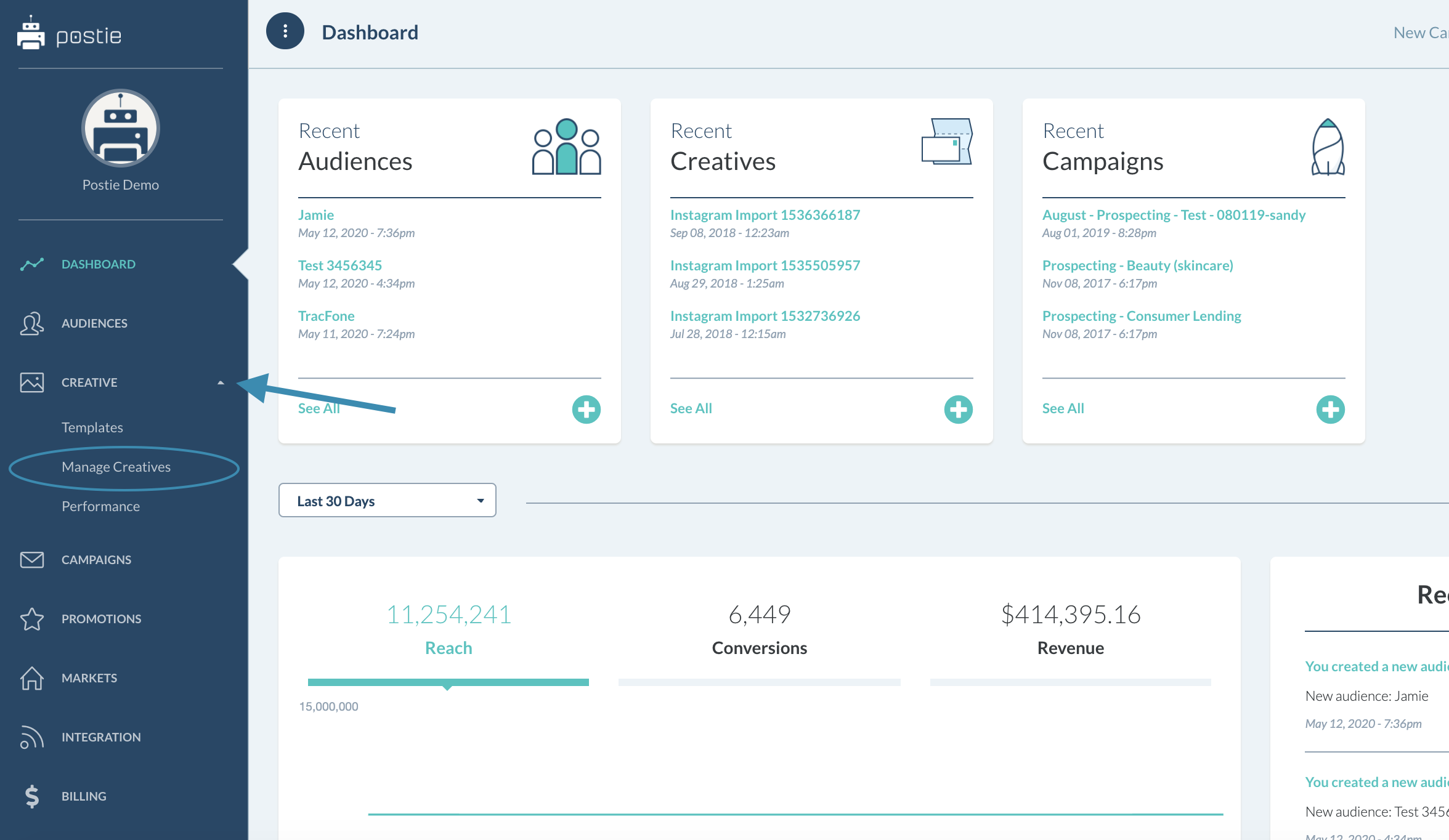
From your Homepage Dashboard, click on the Creative tab in the left side bar. A dropdown list will appear – spot the option Manage Creatives and select it.
Step Two
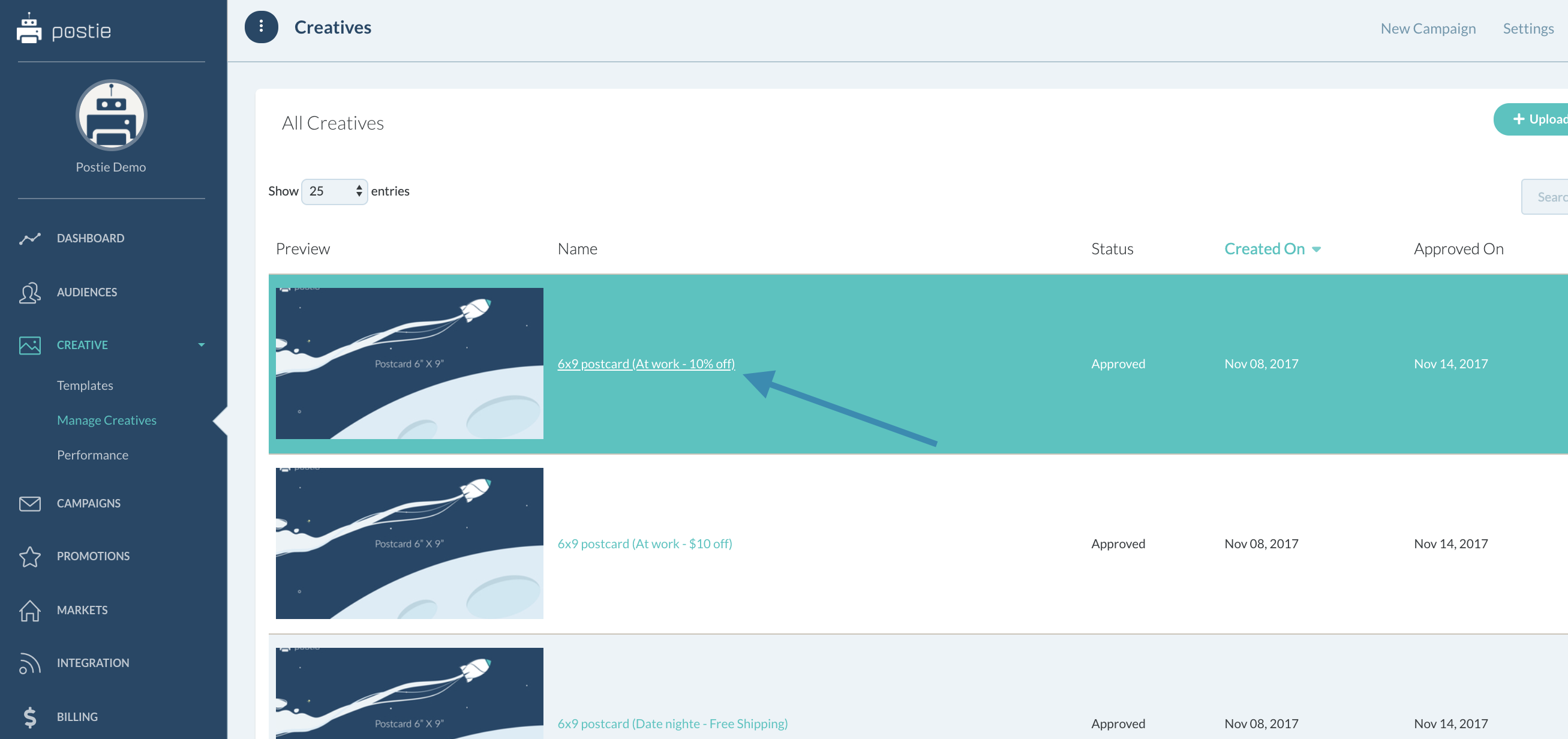
In the Manage Creatives tab you are now in, you will see all of your creative assets, past and present. Select the creative that you would like to revise and click on the Creative Name.
Step Three
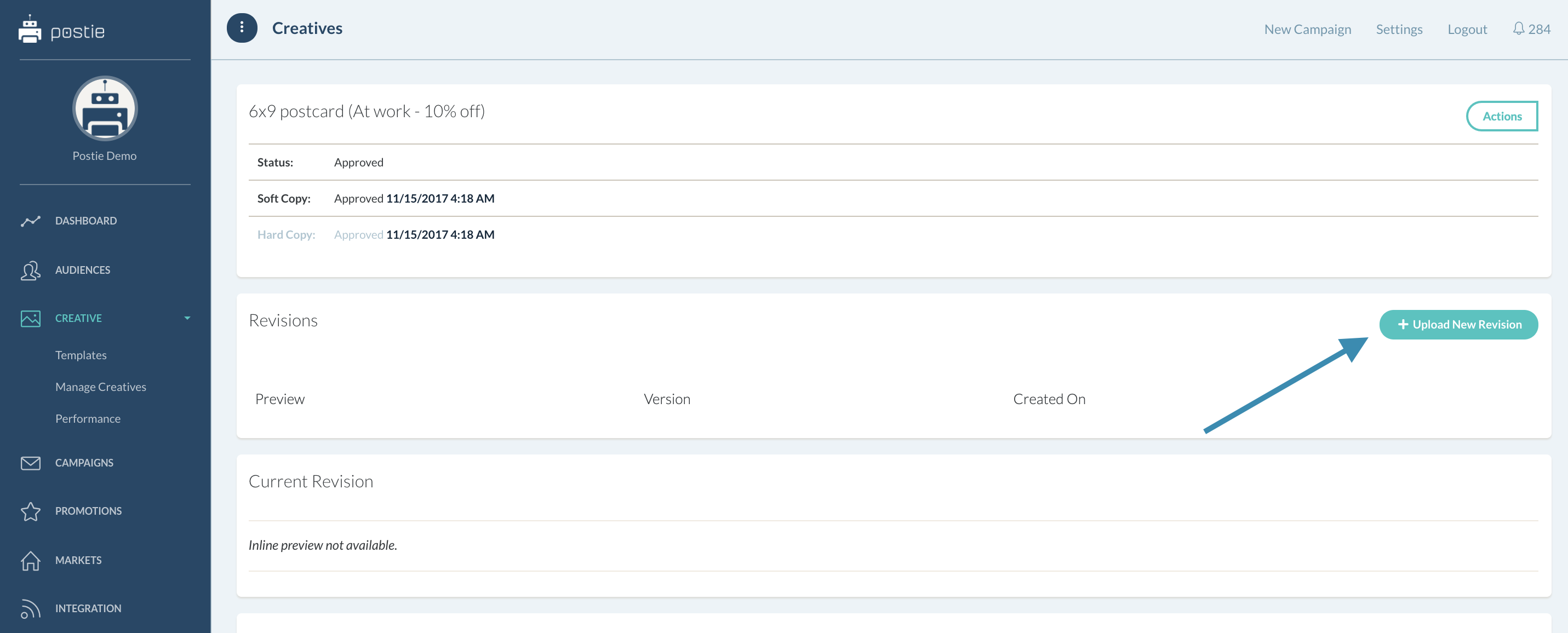
You will now be led to the Creative page. From here click on +Upload New Revision.
Step Four
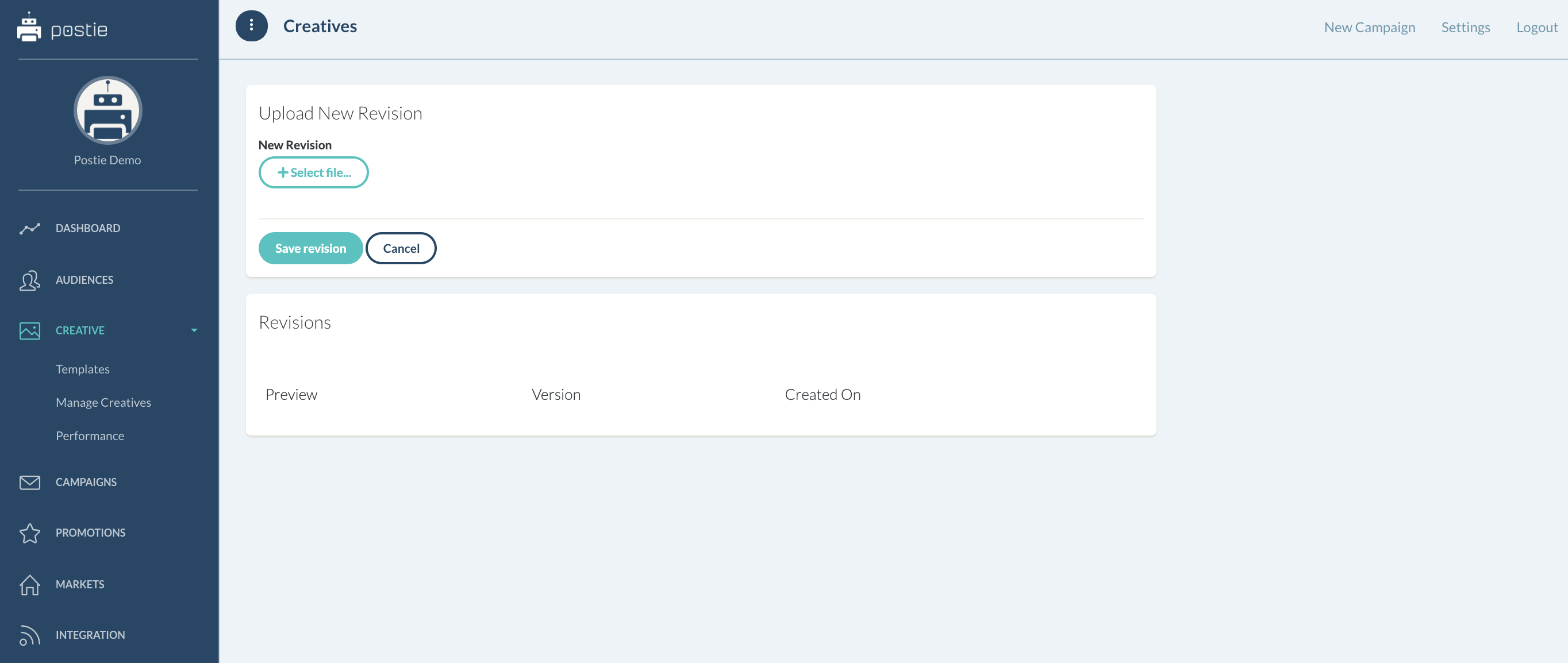
You will now be led to the Upload New Revision page. Select the file you wish to append.
Once your selection is made, please select Save Revision. You will see all current and previous revisions under the Revisions section.